TrackersByHand · Spreadsheet
Paycheck Budget Tracker
Every bill assigned to the paycheck that has to cover it.
$19 one-time payment · yours to keep
Buy the Paycheck Budget Tracker — $19
Delivered by Payhip as an instant download. Works in Google Sheets and Microsoft Excel.
What it does
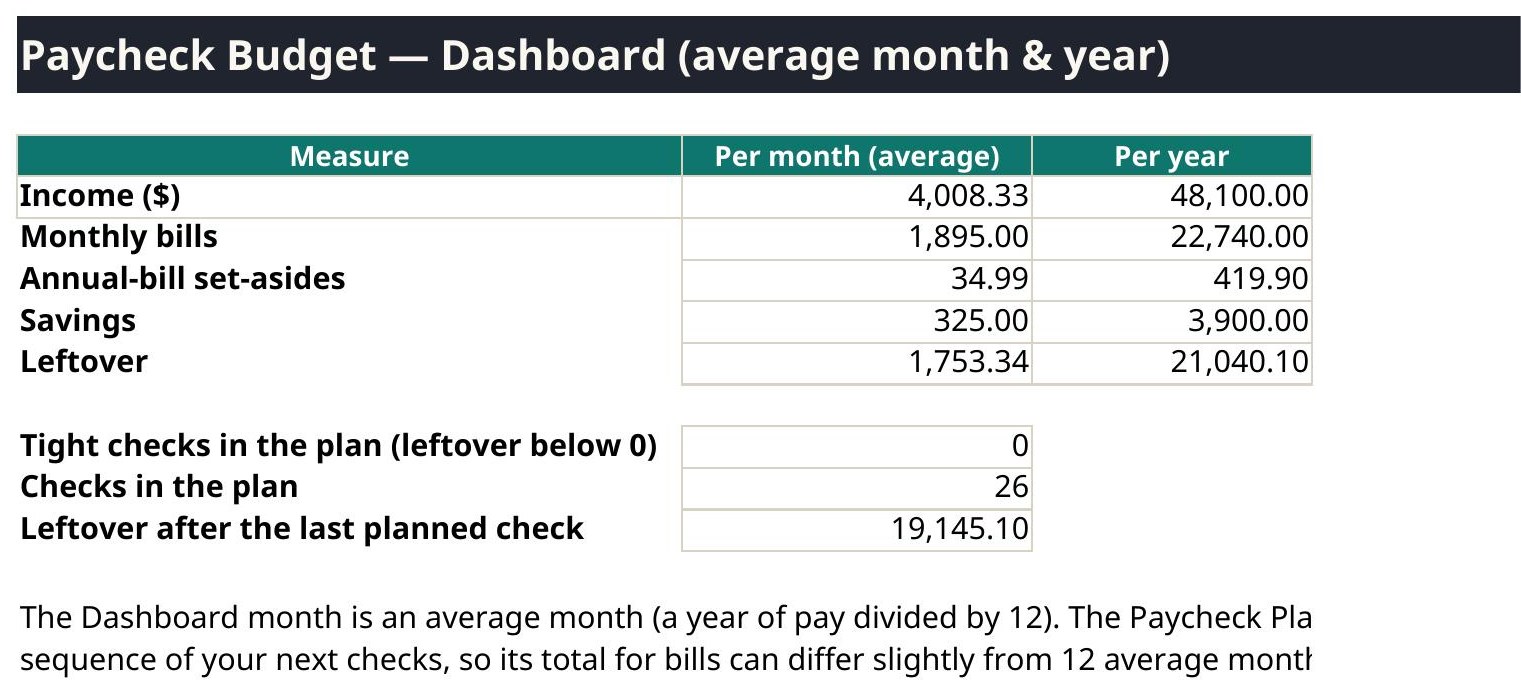
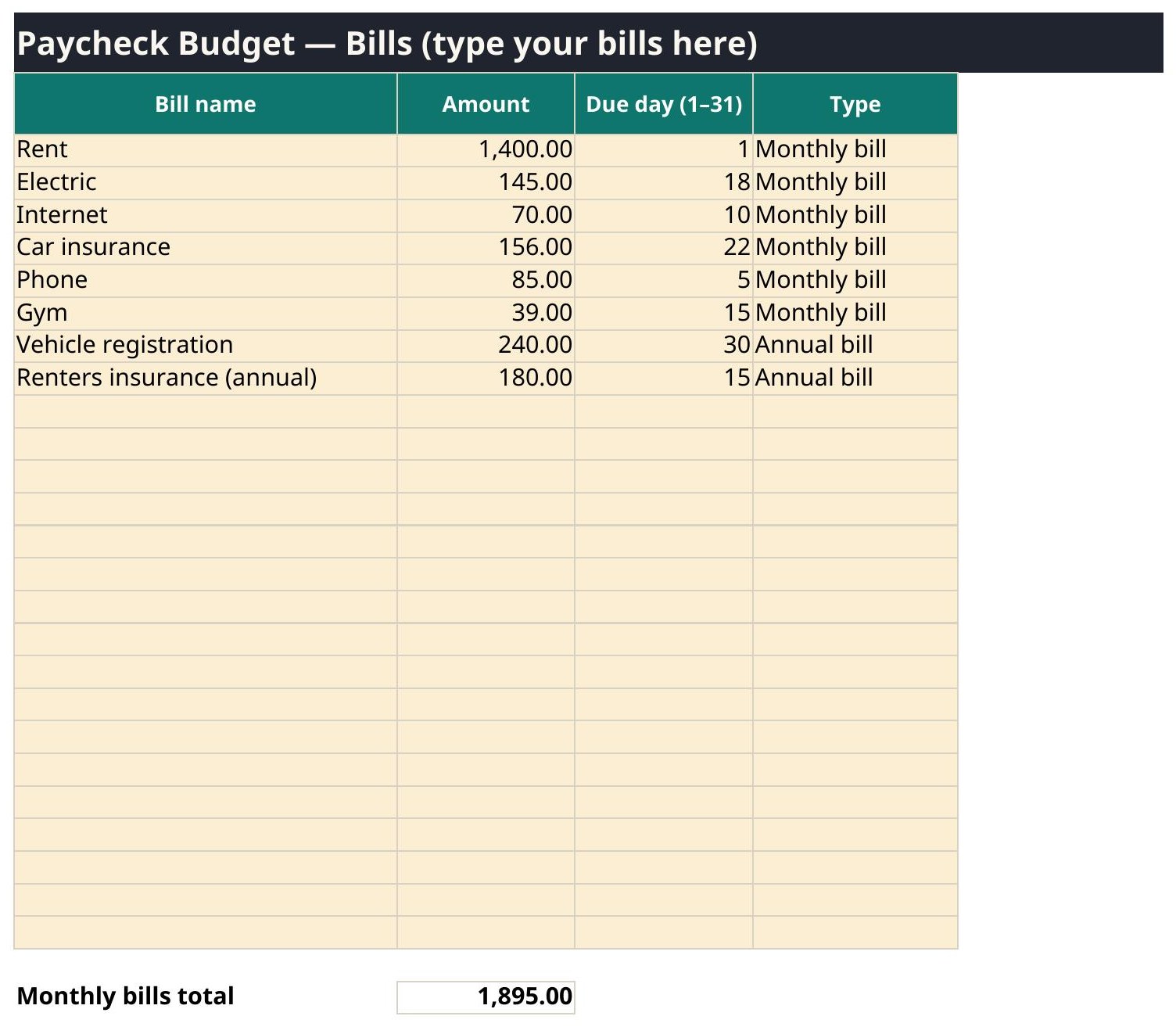
Monthly budgets break when two big bills land on the same check. The Paycheck Budget Tracker works the way you are actually paid: list up to 25 bills with their due days, assign each bill to the first or second check of the month, and the Paycheck Plan shows, check by check, what goes out, what is set aside for annual bills, what goes to savings, and what is left over.
- Up to 25 bills, each with an amount, a due day, and an assigned check
- Works with weekly, biweekly, semi-monthly, or monthly pay
- Annual bills are spread across every check, a little at a time, so they never ambush you
- Dashboard flags any check that comes up short before it happens
- Type only in the pale amber cells — every formula cell is locked and protected
The tabs, exactly as shipped
| # | Tab |
|---|---|
| 1 | Start Here |
| 2 | Settings |
| 3 | Bills |
| 4 | Paycheck Plan |
| 5 | Dashboard |
5 tabs. The tab names above are read from the shipped file itself.
What is inside your download
- Excel copy (clean, ready for your numbers) and a filled Excel example copy
- Google Sheets copy (clean) and a filled Google Sheets example copy
- QuickStart PDF — one page, the setup in plain words
- Version 1.0 — October 2026, with a changelog on the Start Here tab
Questions
Where are my files?
Right after checkout, your download page lists every file: the Excel copy, the Google Sheets copy, a filled example copy of each, and the one-page QuickStart PDF. The same links are in your checkout email. Download them all and keep the clean copies untouched as your backups.
Sheets or Excel — which do I open?
Whichever you use. Open the file with GoogleSheets in its name in Google Sheets (File → Make a copy, then work in your copy), or open the plain file in Microsoft Excel. Both copies do the same math — they were checked against each other.
What if I type over a formula?
You should not be able to: formula cells are locked and every sheet is protected. Type only in the pale amber cells. If a number ever looks wrong, close the file, go back to your clean copy, and re-enter just the pale cells — that is why the clean copy stays untouched.
Can I use it on my phone?
Yes. Both the Google Sheets app and the Excel app open these files, and the formulas work the same. A bigger screen is easier for the wide tabs, but checking a dashboard number on your phone works fine.